
Scaling the Storm: How We Rebuilt WeatherSharp for Speed and Precision
A comprehensive rebuild of the WeatherSharp platform, introducing interactive radar, smart API caching, and a privacy-first architecture for precision US weather tracking.
This post may contain affiliate links. If you make a purchase through these links, we may earn a commission at no additional cost to you.
When we first built WeatherSharp, the goal was simple: create a weather dashboard that didn’t feel like a casino. We wanted to strip away the autoplay videos, the pop-up ads, and the invasive tracking cookies, leaving only what mattered—precision weather data for the United States.
But as our user base grew, so did our ambitions. Users didn’t just want to know if it was raining; they wanted to see where. They wanted to dive into the raw meteorological discussions and track severe alerts across state lines. Today, we are proud to announce a major evolution of the WeatherSharp platform.
The Challenge: Balancing Power with Performance
The original WeatherSharp was a Single Page Application (SPA). It was lightweight, but as we looked to add heavy features like interactive Leaflet maps and real-time radar layers, we faced a dilemma.
Loading a mapping library, thousands of radar tiles, and complex alert logic on the homepage would destroy our “instant load” promise. Furthermore, relying on the public National Weather Service (NWS) API meant we had to be extremely careful. During severe weather outbreaks, efficiency isn’t just a metric; it’s a necessity to prevent API throttling.
We needed a way to offer deep, data-heavy features without sacrificing the snappy, lightweight feel our users loved.
Our Approach: The Hybrid Architecture
We decided to move away from a pure SPA to a Multi-Page Application (MPA) with a “Shared Brain.”
Instead of loading everything at once, we split the application into dedicated environments:
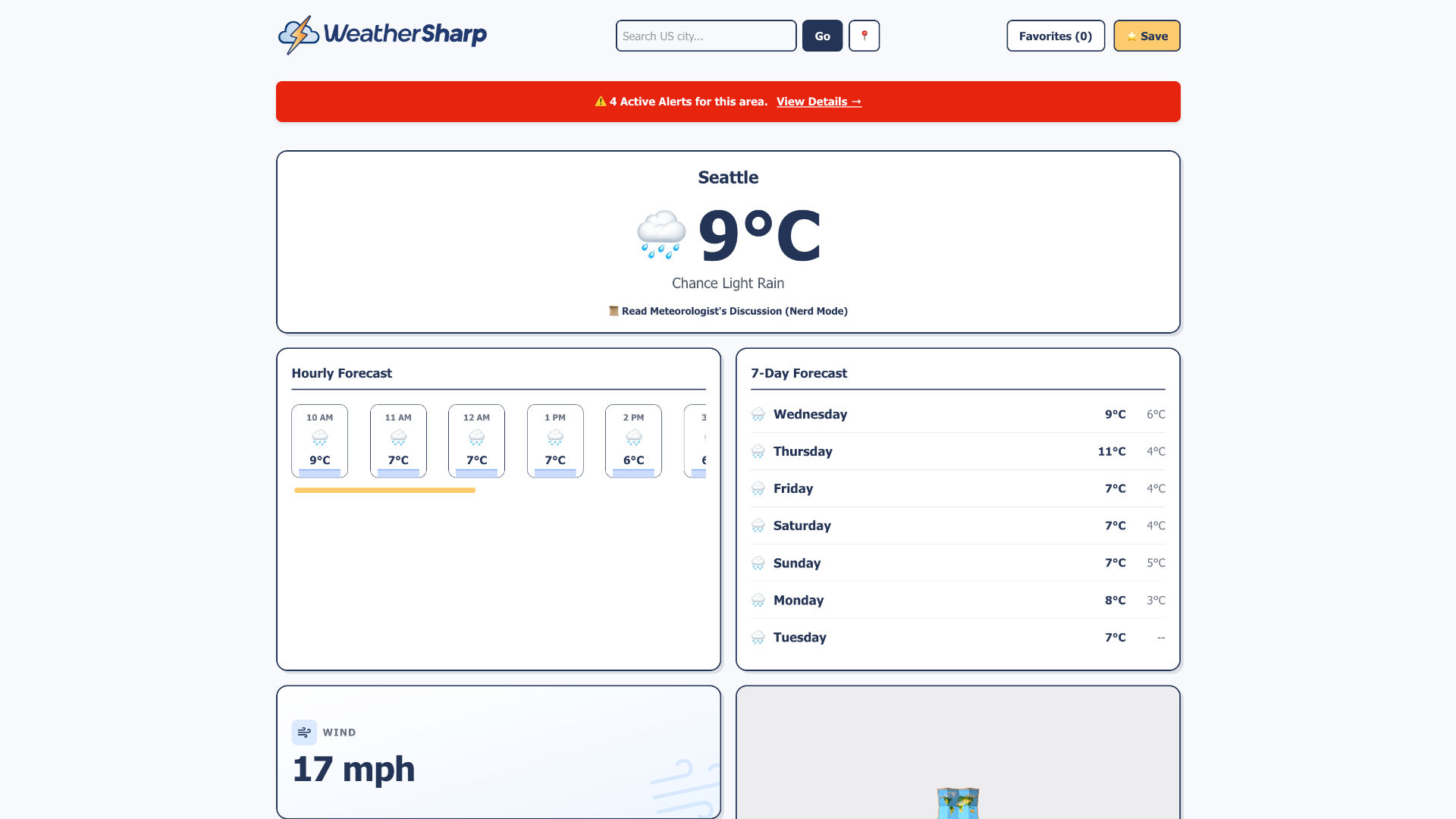
- The Dashboard: A hyper-lightweight homepage for quick checks.
- The Map Room: A dedicated page for the heavy Leaflet interactive layers.
- The Alert Hub: A focused master-detail view for reading severe weather warnings.
To keep the experience seamless, we implemented a state management system using local storage. When you search for “Miami” on the dashboard, that location state is instantly accessible to the map and alerts pages. It feels like one app, but performs like three optimised ones.
Key Features & Craftsmanship
1. The Interactive “Click-to-Forecast” Map
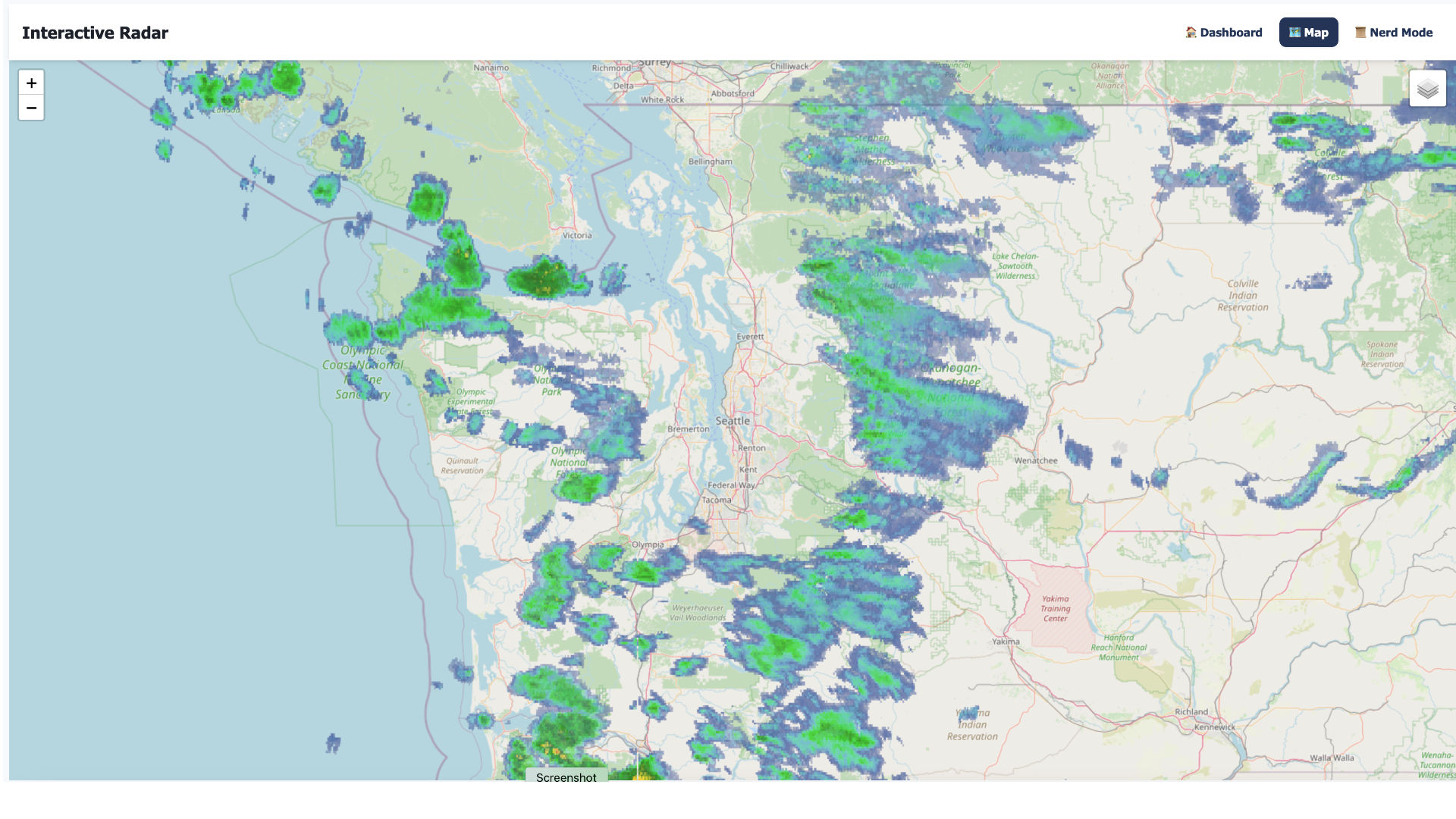
We integrated Leaflet with NOAA’s WMS layers. Users can now toggle between Base Reflectivity (standard radar), Composite Reflectivity (storm structure), and Velocity (wind rotation). But the real magic is under the hood. We built a “smart fetch” system that debounces clicks and caches data by grid ID. If you click five times in the same neighbourhood, we only hit the API once.
2. The Master-Detail Alerts Page
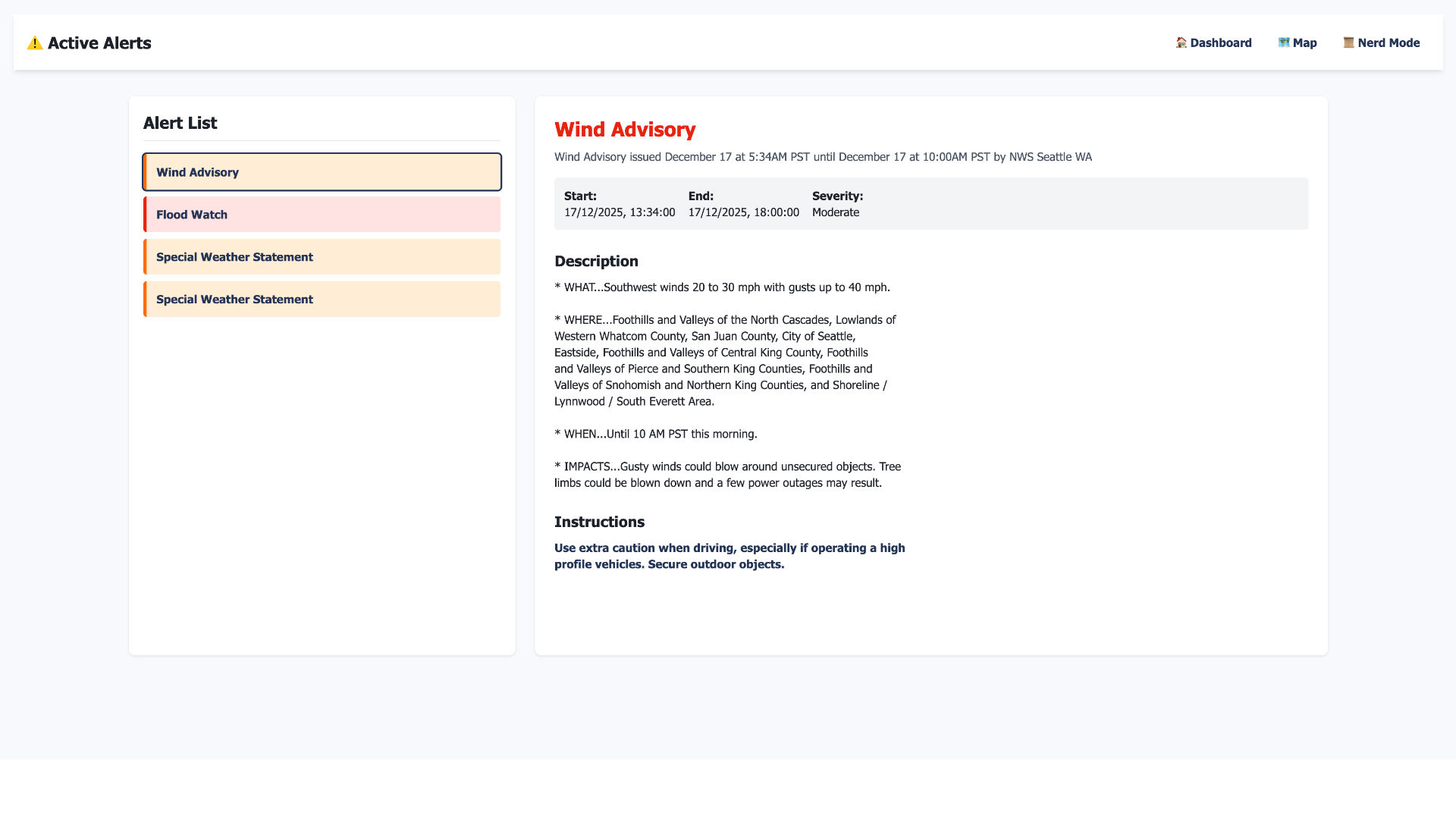
Severe weather information can be overwhelming. We designed a new Alerts Page using a master-detail layout. On the left, a clear list of active warnings colour-coded by severity (Red for Extreme, Orange for Moderate). On the right, a reading pane that parses the raw NWS text into readable sections—headline, description, and instructions.
3. “Nerd Mode” (Forecast Discussions)
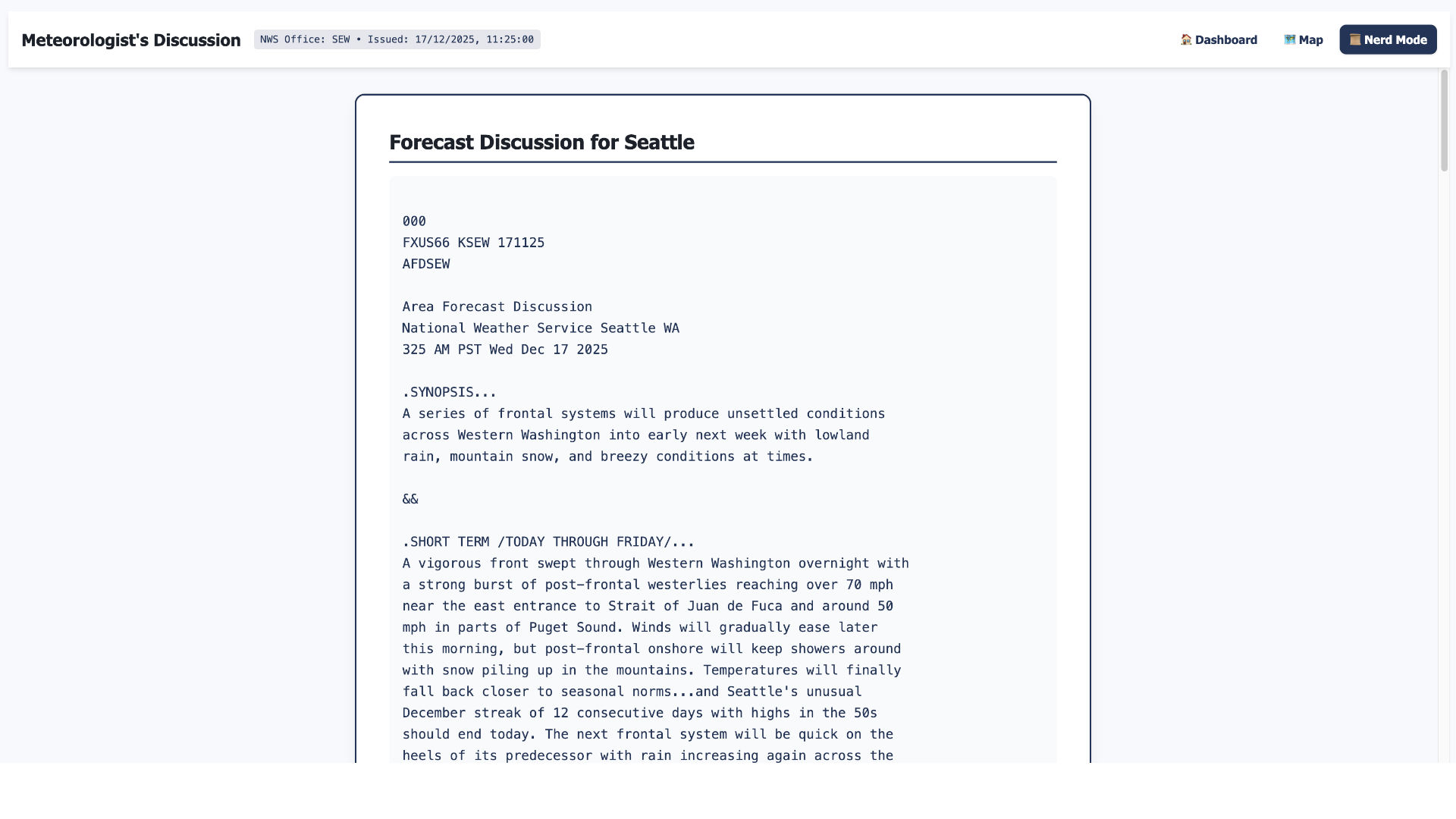
Sometimes, an icon isn’t enough. Our new Nerd Mode fetches the raw “Area Forecast Discussion” directly from the local NWS office. This feature gives users access to the meteorologist’s reasoning—understanding the why behind the forecast.
Overcoming Obstacles
The biggest technical hurdle was the NWS API limit. To ensure reliability, we couldn’t just spam requests.
We implemented a client-side caching strategy. For example, active alerts are cached for five minutes. If you navigate away and come back, the app serves the data instantly from memory rather than waiting on a network request. This reduced our API calls by over 40% during testing, ensuring WeatherSharp remains fast even when the weather—and the web traffic—gets stormy.
The Transformation
The result is a tool that feels professional yet accessible. The new Dark Mode (automatically synced with your system preferences) provides a low-contrast view perfect for checking storms at night. The Rain Visualiser uses simple CSS-driven bars to show precipitation probabilities without the weight of a charting library.
We have managed to add significant complexity—maps, radar, alerts—while keeping the initial dashboard load time nearly instantaneous.
Conclusion
The new WeatherSharp is more than just an update; it’s a commitment to the idea that the web can be fast, private, and useful. We’ve built a tool that respects your data and your time, giving you the precision of government-grade meteorology in a package that feels right at home on your device.
Check out the new dashboard today at weathersharp.com.